The SaaS Boilerplate for Next.js
Launch Now ships sign-in, organizations, Stripe billing and an admin panel already wired together, so you can spend your time on the product only you can build.
pnpm install && pnpm dev
What's in Launch Now? Everything a SaaS needs on day one.
Authentication
Passwordless email codes, GitHub and Google with Better Auth, plus two-factor and active sessions.
Organizations
Teams with their own URL, invitations, and owner, admin and member roles.
Stripe Billing
Subscriptions for users or whole teams, with plans stored in your database.
Server Actions
Typed actions with next-safe-action and Zod, with clients that require a session or block the demo account.
Database & Migrations
Drizzle ORM on Postgres. Generate SQL migrations from the schema and apply them on every deploy.
Admin Panel
Manage users and organizations, ban accounts, impersonate with a visible banner and read product feedback.
API Keys
Personal keys with your product prefix, an expiration, rename and delete.
Emails & Notifications
Resend and React Email, an in-app inbox with preferences, admin broadcasts and a double opt-in newsletter.
Resource Generator
Describe a resource in JSON and generate its table, actions, form, data table, pages and sidebar link.
Docs, Blog & Changelog
MDX docs and blog with Fumadocs, a changelog with RSS and a status page.
Legal & SEO
Legal pages filled from one config, cookie consent, sitemap, robots and Open Graph images.
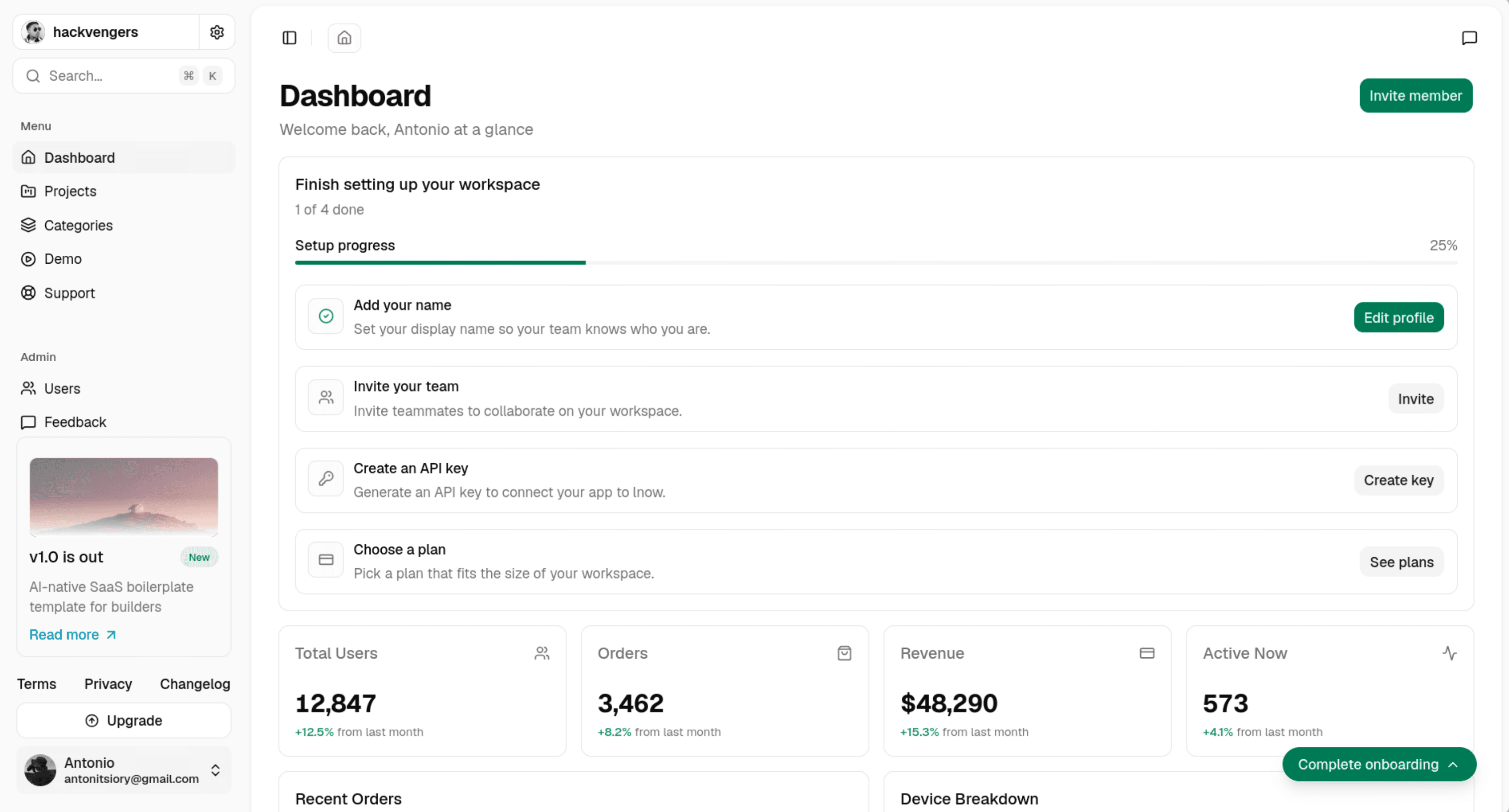
Pulse demo
A complete demo SaaS to learn from. Read the introduction.
Built on a foundation of production-grade tools
Better Auth
Sessions, OAuth, two-factor, organizations, admin and API keys, all as plugins of one auth instance.
Stripe
Checkout, the customer portal and subscription webhooks, handled through the Better Auth Stripe plugin.
Drizzle ORM
A typed schema for Postgres, generated SQL migrations and a studio to browse your data.
Get started in minutes Run the demo locally
- Auth
- Organizations
- Billing
- Admin
- Emails
- Docs & Blog
Clone the repository, fill in your environment variables and run the migrations. Seed the plans and the demo app is running on your machine.
Then rename the product in site-config.ts and deploy to Vercel. Migrations run on every build.